OpenClaw security starts from one uncomfortable fact: the agent holds your model API keys and chat accounts, and it can run commands, read files and browse on your behalf around the clock. Anyone who can message it, or slip text into something it reads, borrows some of that power. Every OpenClaw setting named below is from the project's own documentation, read on 9 November 2026.
What you are actually protecting
One Gateway process owns sessions, auth profiles, channels and state; your laptop, phone and the Control UI are clients. Everything sensitive lives under ~/.openclaw: config that may hold tokens, channel credentials, model auth profiles, and transcripts that the docs warn "can include pasted secrets, file contents, command output, and links".
The trust model is explicit: one Gateway is one trust boundary, a single operator or a team whose members trust each other, and "not a hostile multi-tenant security boundary". People who should not see each other's data need separate Gateways, ideally on separate OS users or hosts.
Run it on its own server, not your laptop
The case for a separate server is blast radius; our AI agent hosting requirements guide covers it, with uptime and sizing. OpenClaw's guidance for a company-shared agent is the same: "a dedicated machine/VM/container" with its own OS user and accounts, never signed into personal Apple or Google accounts. If that box is compromised, you rebuild one server and rotate a short, known list of keys.
Keep the gateway and Control UI off the internet
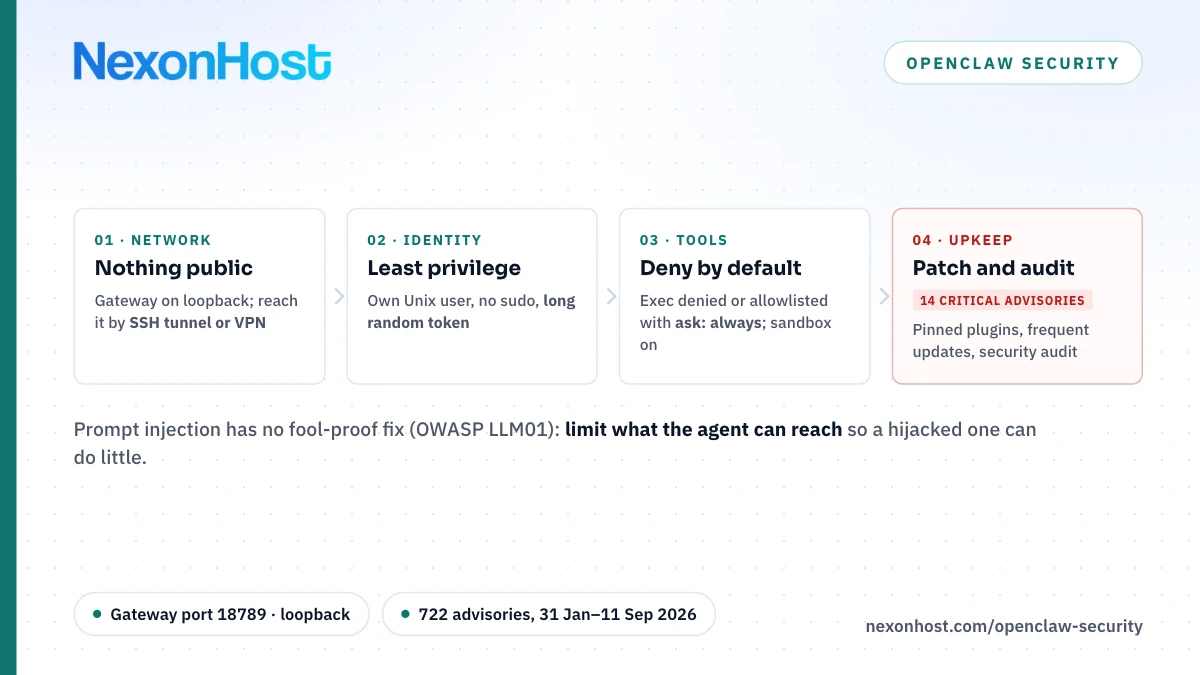
The Gateway serves its API and the Control UI on port 18789 by default. On a regular install gateway.bind defaults to "loopback": only local processes can connect. Keep it that way.
The Docker trap. Inside a detected container the omitted setting resolves to 0.0.0.0, and the project's Docker setup uses lan on purpose: loopback there admits only processes inside the container, so a published port reaches nothing. The stock Compose file publishes 18789 on every host interface. Keep Gateway auth on and change that mapping to 127.0.0.1:18789:18789, so only the host itself reaches it. Ports Docker publishes bypass ordinary host firewall input rules; the docs put the fix in the DOCKER-USER chain. Then port-scan your public IP from outside.
How to reach it. The documented fallback that works anywhere is an SSH tunnel:
ssh -N -L 18789:127.0.0.1:18789 user@your-server
The docs prefer Tailscale Serve; a tunnel to your own private VPN server does the same job.
Auth still matters on loopback. Set gateway.auth.mode: "token" with a long random value (the docs suggest openssl rand -hex 32). The audit warns below 24 characters, and anyone holding the shared token gets full operator access. Treat it like a root password.
Least privilege: user, tools and sandbox
A dedicated Unix user. Run the Gateway as its own account, not root and not in the sudo group. The docs recommend a dedicated OS user; the no-sudo rule is ours, because if the agent's shell can escalate, every other restriction is decoration. Keep ~/.openclaw at 700 and its files at 600; openclaw security audit --fix tightens both.
Tool policy first. OpenClaw's hardened baseline starts with tools.profile: "messaging", denies the runtime, filesystem and automation tool groups, sets tools.exec.security: "deny" with ask: "always", turns tools.elevated off and limits file tools with tools.fs.workspaceOnly: true. For agents handling untrusted content, the docs say to deny gateway, cron, sessions_spawn and sessions_send.
Lock down who can talk to it. With dmPolicy: "pairing" an unknown sender gets a pairing code, not an answer; require a mention in groups.
Sandbox the tools. Sandboxing is off by default. agents.defaults.sandbox.mode takes off, non-main or all; the backends include Docker (the default) and Podman. Local sandbox containers get no network and no view of the agent workspace unless you grant them. The docs call it "not a perfect security boundary", but it limits the damage. tools.elevated runs commands outside the sandbox: leave it off.
Secrets and spend limits
Put provider keys in the Gateway's process environment, ~/.openclaw/.env or the config env block; OpenClaw blocks provider keys in a workspace .env, so a cloned workspace cannot swap in someone else's account. Never paste a secret into a chat: transcripts keep it verbatim.
Give this agent its own provider API key, with a spend limit or budget alert if the provider offers one. A looping or steered agent spends at machine speed; a cap turns a disaster into an annoying invoice.
OpenClaw's incident-response page lists what to rotate after a suspected compromise: the Gateway token, remote client credentials, provider keys and channel tokens. Backups of ~/.openclaw contain all of them; encrypt them and keep a copy off the server.
Prompt injection: limit the damage, you cannot prevent it
Prompt injection is LLM01, the first entry in the OWASP Top 10 for LLM Applications (2025). It can be direct, typed by the attacker, or indirect, hidden in a web page, email or file the model reads. OWASP's conclusion: "it is unclear if there are fool-proof methods of prevention".
OpenClaw agrees: even if only you can message the bot, untrusted content it reads can carry instructions. Its trust model closes prompt-injection-only reports, without a policy, auth or sandbox bypass, as no-action. The docs call model choice the first, cheapest layer and leave the hard limits to tool policy, approvals and sandboxing.
What helps:
- Keep
web_fetch,web_searchandbrowseroff for agents that run commands, unless needed. - Let a read-only "reader" agent summarise untrusted mail and pages for the agent with tools. The summary is still untrusted.
- Require human approval for anything you could not undo. If you loosen
tools.exec.securityfromdenytoallowlist, keepask: "always", which prompts on every shell command. - Use a current, top-tier model for tool-enabled agents; the docs say smaller and older models are markedly easier to steer.
Skills and plugins are code you are installing
The docs are blunt: plugins "run in-process with the Gateway", installing one runs executable code, and OpenClaw does not block dangerous code at install time. Skill folders count as trusted code too: supply-chain risk next to your API keys.
Allowlist plugins with plugins.allow, pin exact versions, and read the unpacked code before you enable it. security.installPolicy lets you run your own allow, warn or block check before any skill or plugin install completes. ClawHub, the project's registry, shows an audit status and risk level per release, but an audit is "not a guarantee that a release is risk-free".
Logs, updates and the audit command
Update often. On 9 November 2026 the project's GitHub Security tab listed 722 published advisories dated 31 January to 11 September 2026, 14 of them rated critical and 249 high (our count via GitHub's API). The latest release on 9 November, v2026.11.2, was published the day before. Run openclaw update, check openclaw update status, and watch the repository's releases.
Keep logs, protect them. By default, Gateway file logs go to /tmp/openclaw/openclaw-YYYY-MM-DD.log with owner-only permissions. They are raw: masking applies to tails and exports, not to the file. Copy logs off the server so an intruder cannot erase the record.
Audit after every change. openclaw security audit checks bind and auth, open DM policies, tool exposure, file permissions and unlisted plugins; --deep adds a live probe of the Gateway.
The OpenClaw security checklist
| Risk | Control | Where |
|---|---|---|
| Gateway reachable from internet | Loopback bind; SSH tunnel or VPN | gateway.bind, Docker -p |
| Weak or leaked token | 32+ random bytes; rotate | gateway.auth |
| Strangers messaging the bot | Pairing, mention gate | dmPolicy, group settings |
| Agent escalates to root | Own Unix user, no sudo | OS |
| Shell or file damage | Deny by default; sandbox | tools.*, agents.defaults.sandbox |
| Prompt injection | Reader agent, approvals | tools.exec, per-agent tools |
| Runaway API spend | Own key, spend cap | Provider console |
| Malicious skill or plugin | Allowlist, pin, review | plugins.allow, security.installPolicy |
| Unpatched bug | Update, watch advisories | openclaw update |
| Drift | Audit after changes | openclaw security audit |
Where a NexonHost server fits
Host hardening still applies; our new server security checklist and Linux VPS hardening guide cover SSH keys, firewalls and patching.
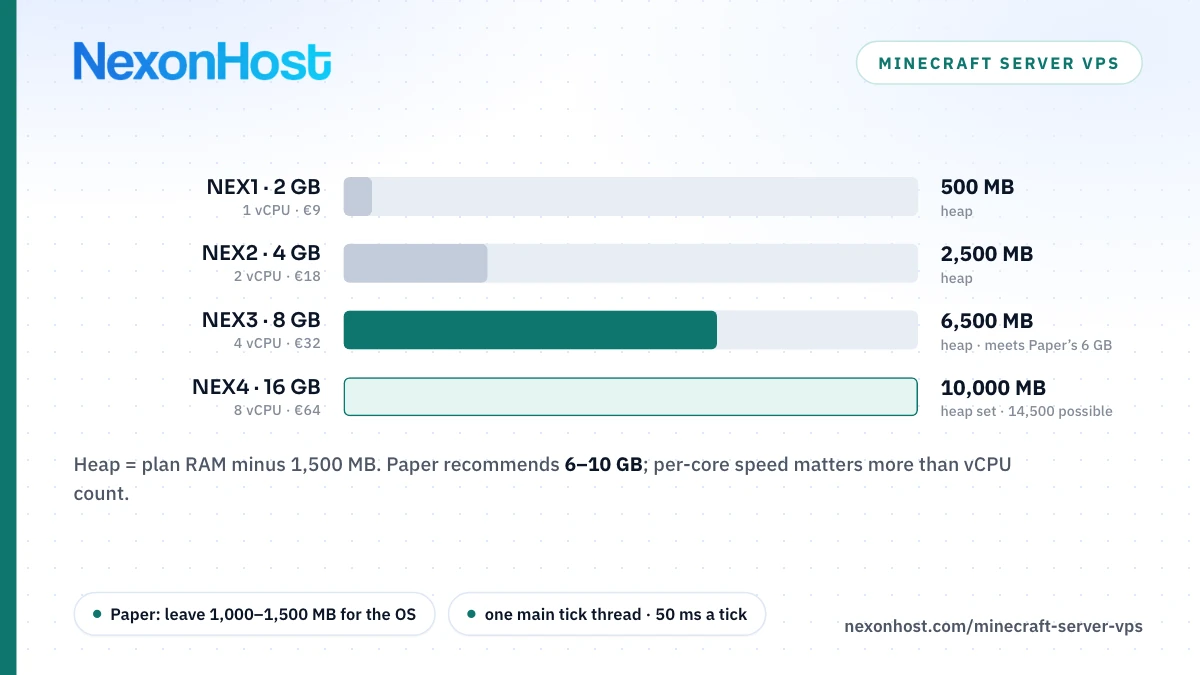
NexonHost's OpenClaw hosting page offers three plans: 2 CPU cores, 4 GB RAM, 60 GB SSD and 8 TB of traffic for €18 a month; 4 cores, 8 GB, 80 GB and 16 TB for €32; and 8 cores, 16 GB, 100 GB and 32 TB for €64 (€16.20, €28.80 and €57.60 a month billed annually; prices as of 9 November 2026, check the product page). The page describes a managed installation and migration service and lists firewall protection, access control and automated security patching; ask sales which your plan includes. Whatever onboarding sets up, tool policy, sandbox and plugin allowlist decide what your agent may do; review them yourself. That part of OpenClaw security is yours.
To do every step yourself, the same specs are sold as a plain Linux VPS in Germany, the Netherlands or Romania. Every VPS includes 100 Gbps Layer 4 DDoS protection; it filters network floods, not a leaked token or an injected instruction. Start on a one-month term and run the audit before connecting real accounts.
Sources
- OpenClaw docs — Security overview and defaults, retrieved 9 November 2026
- OpenClaw docs — Security trust model, retrieved 9 November 2026
- OpenClaw docs — Network exposure (bind, Docker, Gateway auth), retrieved 9 November 2026
- OpenClaw docs — Docker networking (LAN vs loopback), retrieved 9 November 2026
- OpenClaw on GitHub — docker-compose.yml (default port mapping), retrieved 9 November 2026
- OpenClaw docs — Running the security audit (checks, --fix, --deep), retrieved 9 November 2026
- OpenClaw docs — Hardened baselines, retrieved 9 November 2026
- OpenClaw docs — Remote access and SSH tunnel, retrieved 9 November 2026
- OpenClaw docs — Tool and agent permissions, plugins, retrieved 9 November 2026
- OpenClaw docs — Sandboxing overview, retrieved 9 November 2026
- OpenClaw docs — Sandbox modes, scope and backend, retrieved 9 November 2026
- OpenClaw docs — Sandbox images and network defaults, retrieved 9 November 2026
- OpenClaw docs — Secrets, storage and logs, retrieved 9 November 2026
- OpenClaw docs — Logging (default log file path), retrieved 9 November 2026
- OpenClaw docs — Exec approvals (security and ask modes), retrieved 9 November 2026
- OpenClaw docs — Prompt injection, retrieved 9 November 2026
- OpenClaw docs — Operator incident response, retrieved 9 November 2026
- OpenClaw docs — ClawHub security audits, retrieved 9 November 2026
- OpenClaw docs — openclaw update CLI reference, retrieved 9 November 2026
- OpenClaw on GitHub — published security advisories, retrieved 9 November 2026
- OpenClaw on GitHub — release v2026.11.2, retrieved 9 November 2026
- OWASP Gen AI Security Project — LLM01:2025 Prompt Injection, retrieved 9 November 2026
- NexonHost — OpenClaw hosting plans and prices, retrieved 9 November 2026