Sooner or later, a hosting company, MSP or game-server brand gets asked for dedicated servers it does not own. You can buy racks, or resell someone else's. The NexonHost dedicated server reseller program is the second option: you sell whole physical servers under your own name, at prices agreed for your account, and order them from your own panel through an API. We build, rack and run the hardware underneath. Here is what a reseller account includes, how an order runs, what your customer sees, and what still needs a person.
What a dedicated server reseller program is, and what it is not
Most "reseller hosting" is shared hosting: you get one server's worth of hosting accounts and sell them in slices. We sell that too, as Reseller Pro, and the margin arithmetic for it is in reseller hosting margins. A dedicated server reseller program is a different business. Your customer gets root on a machine of their own, and you are selling hardware by the month, not accounts by the gigabyte.
| Shared reseller hosting | Dedicated server reseller program | |
|---|---|---|
| What you sell | Hosting accounts on a shared server | Whole physical servers |
| What your customer gets | A hosting account | Root on their own machine |
| How you provision | A control panel | A REST API, from your own billing or panel |
| How you pay us | A fixed plan fee | Per server, from prepaid credit |
| Who runs the hardware | NexonHost | NexonHost |
| Who supports your customer | You | You |
If your customers want websites and email, shared reseller hosting is the cheaper product. If they want a server, read on.
What a reseller account includes
Your own price list. Every server in the reseller catalogue is priced per account. A server with no price for you, or one we cannot actually build, does not appear in your catalogue, so you never list a machine that would fail at order time. The agreed price is stored on every order. If billing ever tries to charge more than it, the API flags the service with price_pinned: false and the automatic renewal refuses to pay it.
Prepaid credit, with an optional credit limit. You top up a balance in your account's currency and orders are paid from it. A credit limit, if we agree one, is headroom you can order against beyond that balance. It caps your total exposure; it is not an allowance per order. All catalogue prices are ex-tax.
An API with a public guide. The NexCore Reseller API (version 2.0.1, OpenAPI 3.1, 20 paths) covers the catalogue, stock per location, orders, power, bandwidth usage, IP addresses, OS templates, reinstalls, cancellations and login details. The developer guide is public, so you can send it to whoever writes your integration before you have signed anything.
Webhooks for everything that changes. You are told when an order is handed over (order.provisioned), when login details are ready (credentials.available), about two weeks before a renewal is due (renewal.due), when a service is suspended, and when a renewal is paid or refused.
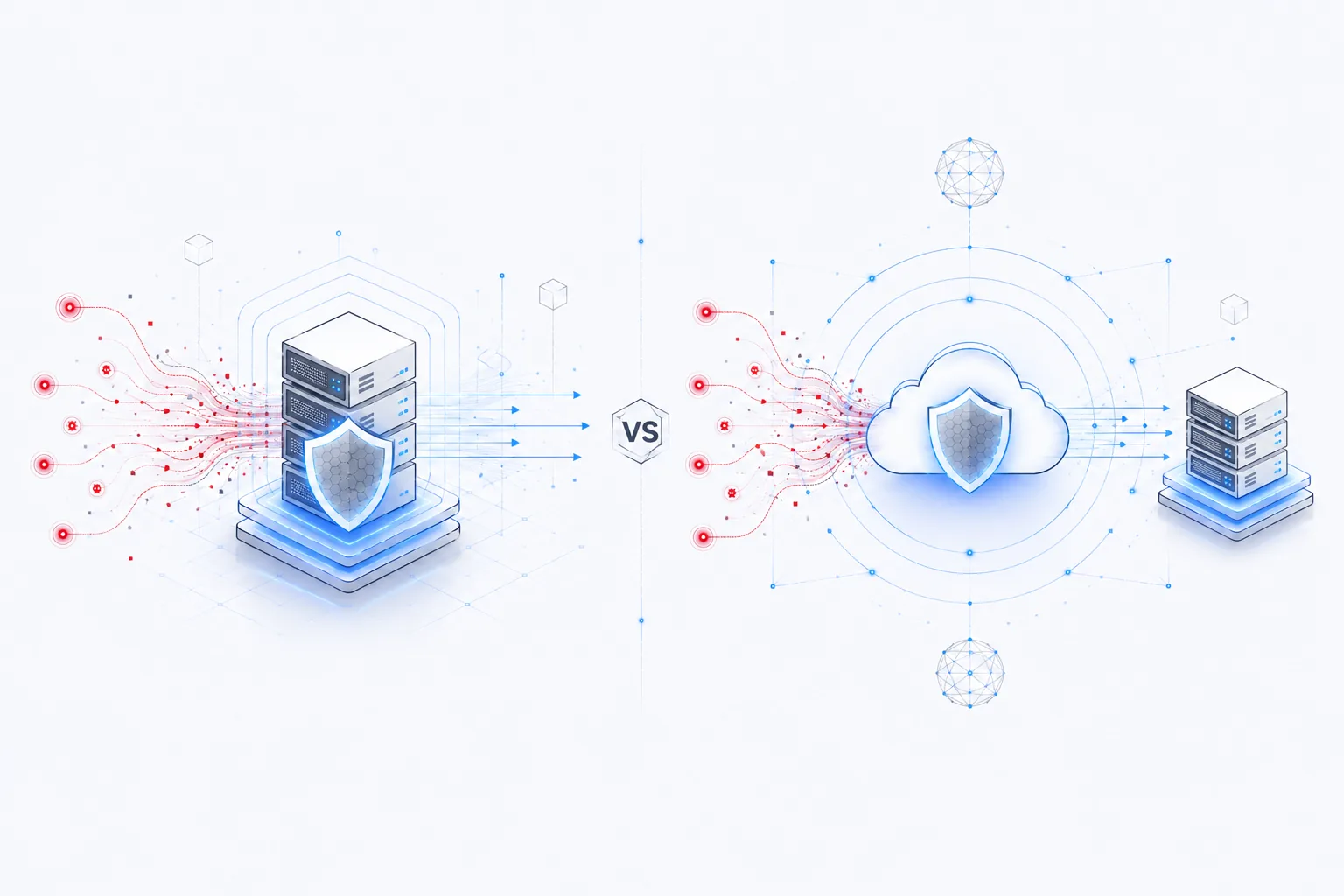
The same servers, on the same network. A resold server is the same machine a retail customer gets, with the same 100 Gbps of Layer 4 DDoS protection included. The paid tiers up to 10 Tbps are on the DDoS protected dedicated server page.
How an order works, start to finish
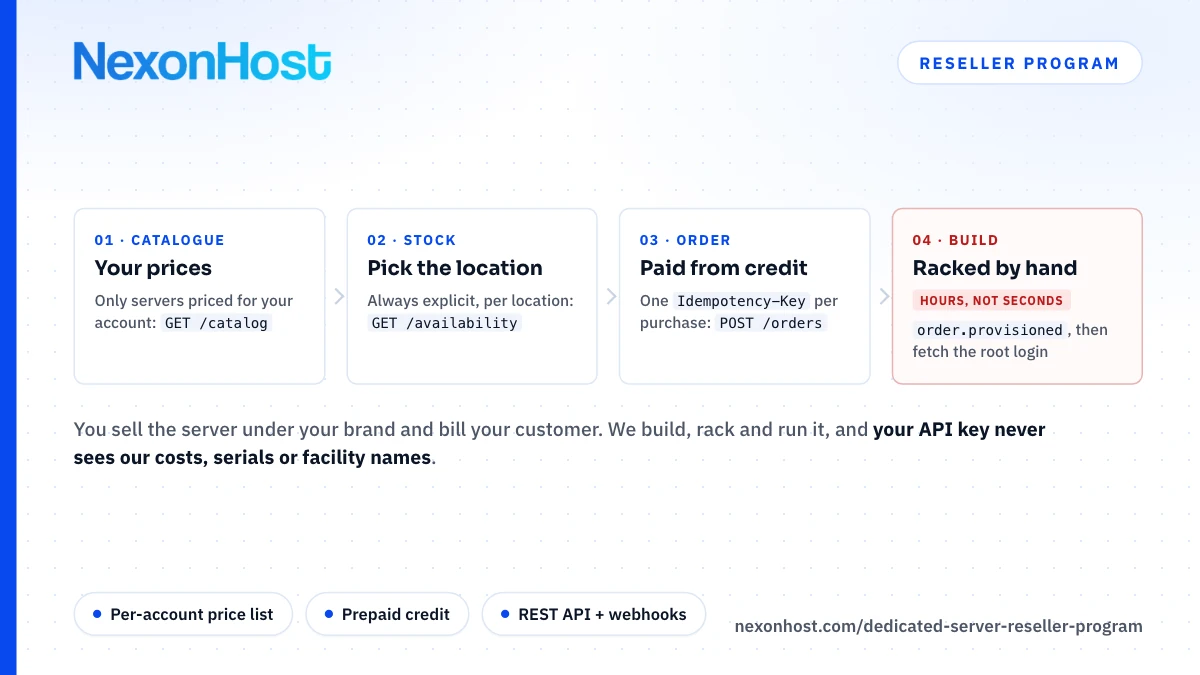
Four calls take a working key to a running server:
- Read the catalogue. Each server comes with its base price, setup fee and option groups (location, bandwidth, disks, RAID, OS, subnet). Your first invoice is the base price plus every chosen option plus the setup fee; the options recur, the setup fee does not.
- Check stock where your customer wants the server. A location is always chosen explicitly. An order without one is refused, because the failure it prevents is a machine quietly built in the wrong country.
- Place the order with an
Idempotency-Key. It is paid from your credit at once, and retrying with the same key can never buy a second server. - Wait for the hand-over. These are hand-built machines, so expect hours, not seconds. When our staff send the welcome letter, the order turns
activeand you getorder.provisionedandcredentials.availablein the same moment.
Then you fetch the root password and pass it to your customer. No webhook ever carries a password; fetching one needs a separate permission and every read is logged.
Built to sit behind your own panel
A reseller integration holds keys that can spend money and power-cycle customer machines, so the defaults are strict:
- Three scopes per key.
readfor catalogue, status and usage;orderfor buying, cancelling and webhook settings;controlfor power, reinstalls and login details. A monitoring dashboard on areadkey cannot lift root passwords. - Every key starts locked. It works only from the addresses on its allowlist: IPv4, IPv6, CIDR ranges or hostnames, up to 50 entries per key. No entries means no access.
- Budgets per key, not per account. Today that is 120 requests a minute and 10 control actions an hour per key, so a loop in your monitoring cannot use up the budget your ordering needs.
Here is what the API does on its own and where a person still steps in:
| Task | Through the API | What happens |
|---|---|---|
| Check stock | GET /availability |
Answered immediately |
| Order a server | POST /orders |
Paid at once, built by hand in hours |
| Power on, off or reboot | POST /services/{id}/power |
Immediate, 10 an hour per key |
| Bandwidth usage | GET /services/{id}/usage |
Volumes and 95th percentile per window |
| Reinstall the OS | POST /services/{id}/reinstall |
Opens a ticket; our staff run it |
| Cancel | POST /services/{id}/cancel |
Records the request; ends at the billing period's end unless you ask for immediate |
Billing and renewals without surprises
Renewal invoices are raised about 14 days before the due date, and renewal.due fires when they are. With automatic settlement, which is on today, we pay each invoice from your credit on its due date, not the day it is raised, so the money stays yours until it is owed.
The automation refuses rather than guesses. It never part-pays, never touches your credit limit, will not pay for anything you did not buy through the API, and leaves invoices above today's ceiling of 2,000 EUR to you. Each refusal fires renewal.failed with a reason. If an invoice stays unpaid, billing currently suspends the service one day after the due date and adds a late fee after three. Nothing terminates a server for non-payment on a timer; a suspended service stays recoverable until a person ends it.
White label: what your customer sees
Your customer deals with you. You bill them, you support them, and our invoices go to you, not to them. The API keeps our side of the business out of sight: device ids, serial numbers, facility names, our internal product ids and our own costs never reach a reseller.
What it cannot hide is the IP address. The addresses on a resold server are ours, so a WHOIS lookup shows the registered holder, not your brand. If that matters to your customers, or you want your reputation to move with you, bring your own IP space instead.
What the program does not do
- No public discount table. Prices are agreed per account, not from a tier chart. Ask sales what your volume gets you.
- No instant cloud. Servers are built by hand. If your customers need a machine in 60 seconds, this is the wrong product.
- No unattended reinstalls. A reinstall request opens a ticket, and the disks are wiped when our staff run it.
- No VPS through the API. It sells dedicated servers only.
- No refunds on credit. Under our Terms of Service, top-ups to your balance are never refunded, and apart from a one-time 24-hour refund on a client's first service, payments are final. Start new customers on a one-month term.
How to get started
The program fits if you already bill customers through your own system and have someone who can write against a REST API. Then:
- Open a client account at my.nexonhost.com, if you do not have one.
- Talk to sales through the contact page. We enable the reseller API on your account and agree your price list and credit limit.
- Issue a key in the client area, set where it may be used from, and run the four quickstart calls in the guide. Browse the dedicated servers range while you wait, to see the hardware your catalogue will draw from.
Sources
- NexCore Reseller API guide, version 2.0.1, retrieved 30 October 2026
- NexCore Reseller API OpenAPI 3.1 document, retrieved 30 October 2026
- NexonHost DDoS protected dedicated servers, retrieved 30 October 2026
- NexonHost Terms of Service, §11 Refund policy, retrieved 30 October 2026