Self-hosted n8n is the free Community edition of the workflow-automation tool, run on a server you rent and patch yourself. It costs you a VPS instead of a per-execution subscription, and in exchange you own the updates, the database, the TLS certificate and the backups. NexonHost does not install or manage n8n; you do.
What the Community edition is, and what the licence allows
n8n's docs say every self-hosted installation runs the same product: without a licence key it is the free Community edition, and a paid Business or Enterprise key unlocks more. The Community edition "includes almost the complete feature set". Left out, among other things, are SSO, projects, sharing, environments, external secrets, Git version control and multi-main mode. That page says queue mode is included, but the pricing page, which the docs call the source of truth, lists "Queue mode for scaling" under Business. Test it on your version before relying on it.
Most of the code is under the Sustainable Use License, version 1.0 (files marked .ee need an Enterprise licence) (the LICENSE.md in n8n's GitHub repository, read 2 November 2026). Its key limitation: "You may use or modify the software only for your own internal business purposes or for non-commercial or personal use." The licence FAQ adds that you may build automations for clients on your instance "as long as your clients do not have the possibility to create or edit them", and charge for setup and maintenance. It says you may not host n8n as a service where clients build workflows, or white-label it.
This is not legal advice: if customers might build their own workflows, read the licence and ask n8n first.
What n8n Cloud gives you instead
n8n Cloud is the same editor, hosted by n8n. Its pricing page, read on 2 November 2026, bills by workflow execution, "a single run of your entire workflow", however many steps it has:
| n8n plan | Executions / month | Price (EUR) |
|---|---|---|
| Cloud Starter | 2,500 | €24 a month, or €20 a month billed annually |
| Cloud Pro | 10,000 | €60 a month, or €50 a month billed annually |
| Business (self-hosted only) | 40,000 | €800 a month, or €667 a month billed annually |
| Community (self-hosted) | not billed by execution | free; you pay for the server |
Cloud Starter allows 5 concurrent executions and a 5-minute maximum run; hosted data is stored in Frankfurt. n8n's docs say it handles hosting, updates and scaling.
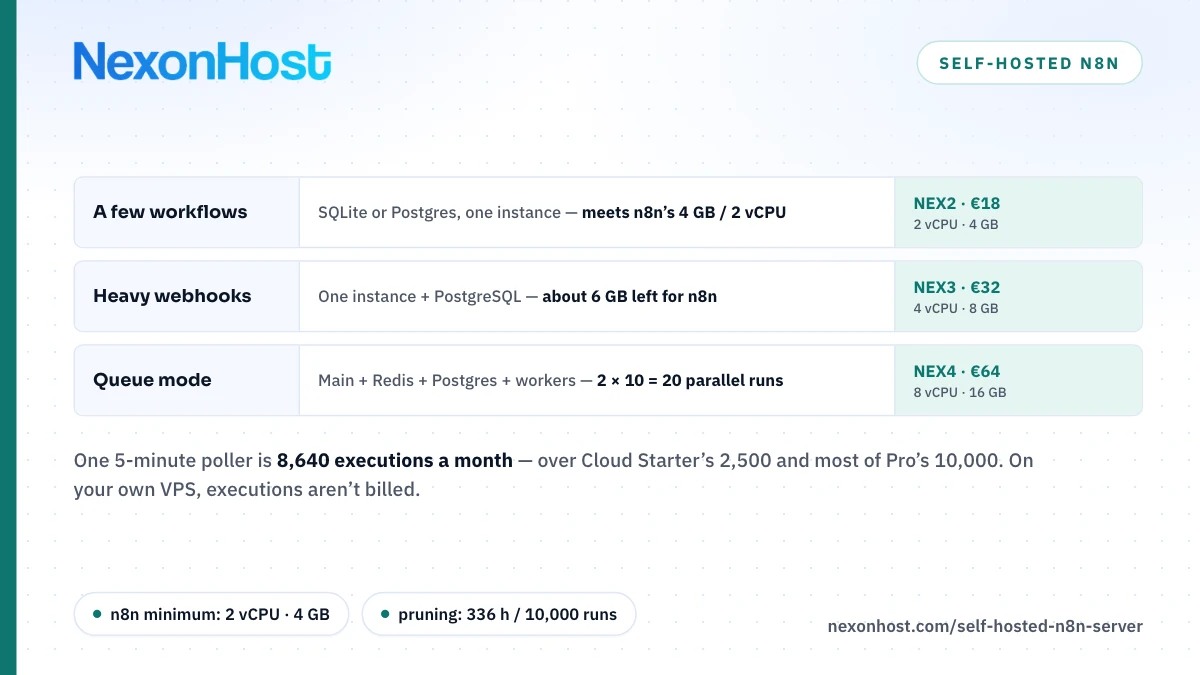
The arithmetic that decides most cases: one workflow polling every 5 minutes runs 12 × 24 × 30 = 8,640 times a month. That alone is more than Starter's 2,500, and fills most of Pro's 10,000. Ten such pollers are 86,400 executions a month. On a self-hosted n8n VPS that volume costs the same as one: you are paying for CPU and memory, not runs.
The settings n8n's docs say matter
Database. By default self-hosted n8n stores workflows, credentials and execution history in SQLite at ~/.n8n/database.sqlite. PostgreSQL is the supported alternative (DB_TYPE=postgresdb); n8n supports PostgreSQL 16, 17 and 18 as of its current docs. Its Docker Compose guide says plainly: "For a production instance, swap in Postgres."
Queue mode. Set EXECUTIONS_MODE=queue and the main instance only receives triggers and webhooks, passes execution IDs to Redis, and worker processes run the workflows. Running queue mode on SQLite "isn't recommended", and the distributed setup over SQLite "isn't supported". Each worker runs 10 jobs in parallel by default (--concurrency), and n8n recommends 5 or higher.
Execution data. Pruning is on by default (EXECUTIONS_DATA_PRUNE=true). n8n deletes finished executions older than EXECUTIONS_DATA_MAX_AGE (default 336 hours, 14 days) or beyond EXECUTIONS_DATA_PRUNE_MAX_COUNT (default 10,000). Our 5-minute poller runs 288 times a day, so the age limit bites first: 14 × 288 = 4,032 executions kept. You can also stop saving successful runs with EXECUTIONS_DATA_SAVE_ON_SUCCESS=none. On SQLite, pruned space is reused, not freed, unless you set DB_SQLITE_VACUUM_ON_STARTUP.
Encryption key. On first launch n8n generates a random key, saves it in ~/.n8n, and uses it to encrypt credentials before they reach the database. In queue mode every worker needs the same key, set via N8N_ENCRYPTION_KEY.
Sizing: which VPS for which workload
n8n publishes one hardware figure: its Docker Compose guide asks for "at least 4 GB of RAM and 2 vCPUs", because that stack includes a Docker-in-Docker sandbox for n8n Assistant. Its benchmark page says a single instance can handle up to 220 workflow executions per second; its single-instance example ran on a 4 GB AWS c5a.large with PostgreSQL and a two-node webhook workflow, so treat 220 as a ceiling, not a forecast. Everything else below is our estimate; the Code node, large JSON and binary data all raise memory use.
| Workload | Plan | Specs | Price |
|---|---|---|---|
| A few scheduled workflows | NEX2 | 2 vCPU, 4 GB, 60 GB SSD | €18 a month |
| Heavy webhooks, one instance + Postgres | NEX3 | 4 vCPU, 8 GB, 80 GB SSD | €32 a month |
| Queue mode with workers | NEX4 | 8 vCPU, 16 GB, 100 GB SSD | €64 a month |
A few workflows. NEX2 meets n8n's 4 GB and 2 vCPU figure, with no headroom to spare. A NEX1 (1 vCPU, 2 GB, €9 a month) sits below that figure; treat it as a test box.
Heavy webhooks. Our estimate: reserve about 2 GB for the operating system and PostgreSQL, which leaves 8 − 2 = 6 GB for n8n on a NEX3. Cap parallel runs with N8N_CONCURRENCY_PRODUCTION_LIMIT, which is off by default in regular mode, so a burst of webhooks queues instead of exhausting memory.
Queue mode. On one NEX4: main, Redis, PostgreSQL and two workers. At the default concurrency of 10, two workers run 2 × 10 = 20 executions at once. Splitting it, main plus PostgreSQL and Redis on one NEX3 and a worker on a second, costs 2 × €32 = €64 a month, the same as one NEX4, and lets you add a third box later. Queue mode adds "some overhead and latency" to webhooks, n8n notes, so move only when one instance is the bottleneck.
Traffic rarely decides this: the NEX2 includes 8 TB a month on a 10 Gbps port. For a broader take on sizing an always-on automation box, our AI agent hosting requirements guide covers the same trade-offs for OpenClaw.
Security: the part people skip
An n8n instance holds API keys and OAuth tokens for every service it touches: treat it like a password vault.
- Never expose the editor on plain HTTP. n8n recommends TLS through a reverse proxy such as Traefik, which also renews certificates. Keep port 5678 bound to localhost and open only 443.
- Set the webhook URL. Behind a proxy n8n cannot work out its public address, so set
N8N_WEBHOOK_URL=https://n8n.example.com/(n8n 2.35.0 and later; older versions useWEBHOOK_URL, still accepted as a deprecated alias) andN8N_PROXY_HOPS=1, and have the proxy passX-Forwarded-For,X-Forwarded-HostandX-Forwarded-Proto. - Finish owner setup first. n8n 1.0 removed the switch to turn user management off, and there is no supported way to disable the login screen. Create the owner account before the hostname is public, and enable two-factor authentication.
- Patch it. n8n ships often: the latest stable release on GitHub, [email protected], is dated 30 October 2026. Updating the container is your job.
- Harden the box. Our Linux VPS hardening guide and new server security checklist cover SSH keys, firewalls and updates; we will not repeat them here.
Every NEX VPS includes 100 Gbps Layer 4 DDoS protection; it does not filter HTTP-level abuse of a public webhook, so rate-limit at the proxy.
Backups: the key and the database, together
Back up two things, and keep them together: the database (a PostgreSQL dump, or the SQLite file with n8n stopped) and the encryption key, from ~/.n8n or wherever you set N8N_ENCRYPTION_KEY. A database without its key leaves every stored credential unreadable. Keep a copy off the VPS. The 1 TB backup add-on is €5 a month extra. Then restore it once on a spare VPS and log in.
When not to self-host
When nobody will patch it. n8n's own comparison puts maintenance under "your responsibility" for self-hosted. If no one on the team will update the container, read the logs and test restores, n8n Cloud at €24 a month is cheaper than a breach. Our managed vs unmanaged hosting guide sets out who owns what.
When volume is low. At 2,500 executions a month, Cloud Starter costs €24 against €18 for a NEX2, and the €6 difference spares you the updates, TLS and backups.
When customers will build workflows. That is the use the licence FAQ rules out. Talk to n8n first.
Where to start
For most teams, self-hosted n8n starts on a NEX2 Linux VPS: 2 vCPU, 4 GB of RAM, 60 GB of SSD and 8 TB of traffic for €18 a month (€16.20 a month billed annually), in Germany, the Netherlands or Romania. Pick Ubuntu 24.04 or Debian 12 from the OS menu, then install Docker and n8n yourself. Move to a NEX3 at €32 when you add PostgreSQL and heavy webhooks, or a NEX4 at €64 for queue mode. All plans are on VPS hosting. Start on a one-month term and run your real workflows before you commit to a year.
Prices are as of 2 November 2026, in EUR excluding VAT; check the product page for current figures.
Sources
- n8n GitHub repository, LICENSE.md — Sustainable Use License version 1.0, retrieved 2 November 2026
- n8n Docs — Community license, what the Sustainable Use License covers, retrieved 2 November 2026
- n8n Docs — License FAQ, what you can and cannot do, retrieved 2 November 2026
- n8n Docs — Compare editions, Community edition exclusions, says queue mode included, retrieved 2 November 2026
- n8n Docs — Choose how to use n8n, Cloud vs self-hosted comparison, retrieved 2 November 2026
- n8n pricing page — Starter, Pro and Business prices, executions, limits, queue mode listed under Business, Frankfurt data storage, retrieved 2 November 2026
- n8n Docs — Choose n8n's database, SQLite default and supported PostgreSQL versions, retrieved 2 November 2026
- n8n Docs — Install using Docker Compose, 4 GB RAM and 2 vCPU, Postgres for production, retrieved 2 November 2026
- n8n Docs — Enable queue mode, Redis, workers, concurrency default 10, SQLite not recommended, retrieved 2 November 2026
- n8n Docs — Control concurrency, N8N_CONCURRENCY_PRODUCTION_LIMIT, retrieved 2 November 2026
- n8n Docs — Manage execution data, pruning defaults and SQLite vacuum, retrieved 2 November 2026
- n8n Docs — Measure performance, 220 executions per second, c5a.large single-instance setup, retrieved 2 November 2026
- n8n Docs — Fix memory issues, what raises memory use, retrieved 2 November 2026
- n8n Docs — Set a custom encryption key, retrieved 2 November 2026
- n8n Docs — Configure webhook URLs with reverse proxy, N8N_WEBHOOK_URL replaces WEBHOOK_URL from 2.35.0, retrieved 2 November 2026
- n8n Docs — Set up SSL, reverse proxy recommended, retrieved 2 November 2026
- n8n Docs — User management, login screen cannot be disabled since 1.0, retrieved 2 November 2026
- n8n Docs — Require two-factor auth, 2FA with an authenticator app, retrieved 2 November 2026
- n8n GitHub releases — latest release [email protected], 30 October 2026, retrieved 2 November 2026
- NexonHost store — NEX VPS plans, regions, OS menu, backup add-on and DDoS tiers, retrieved 2 November 2026
- Computed — 12 × 24 × 30 = 8,640 executions; 10 × 8,640 = 86,400; 24 × 12 = 288 a day; 14 × 288 = 4,032; 8 − 2 = 6 GB; 2 × 10 = 20 parallel executions; 2 × €32 = €64; €24 − €18 = €6