

How to install CentOS 7
Connect to java/html5 console, (here you can find an article that will show you how) How to access java/html5 console :
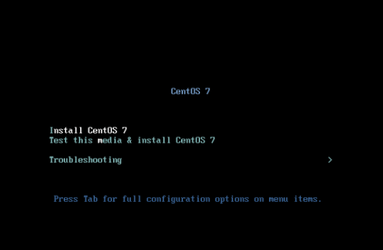

Select: Install CentOS 7.
- Mount ISO: Virtual media > Connect Virtual Image > Map CD/DVD
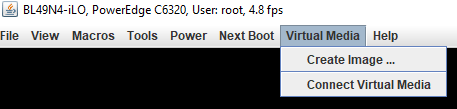

Click on: Connect Virtual Media.
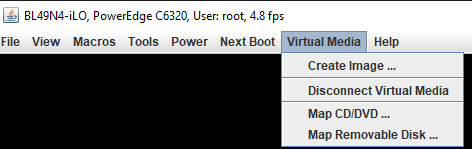

Click on: Map CD/DVD.
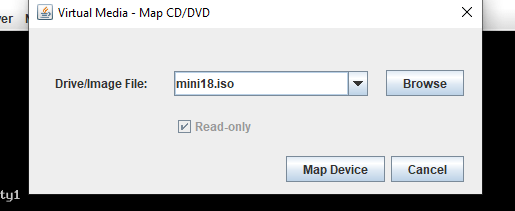

Now click on: Map Device.
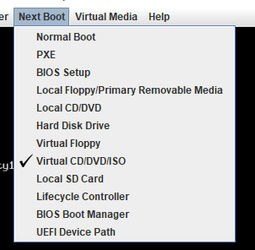
- Next Boot > Virtual CD/DVD/ISO

- Power > Reset System(warm boot)
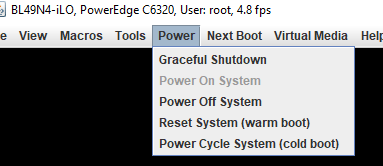

Then click on: Reset system (warm boot)
- Install
- Select language
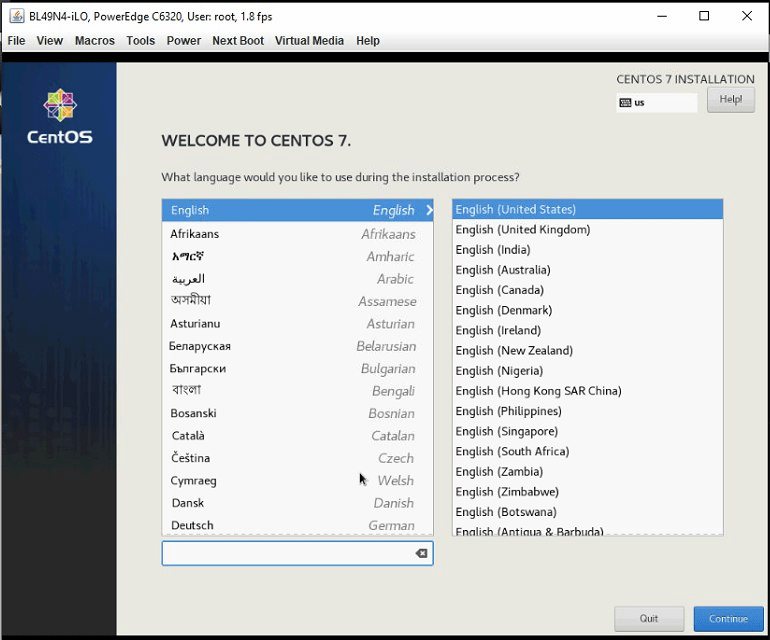

Select: English → English United States
- Set date and time
- Configure Host and Network
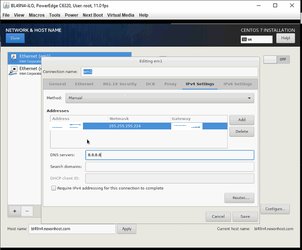

- Press: save.
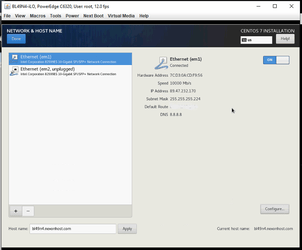
- Then press on and done.
- Installation destination.
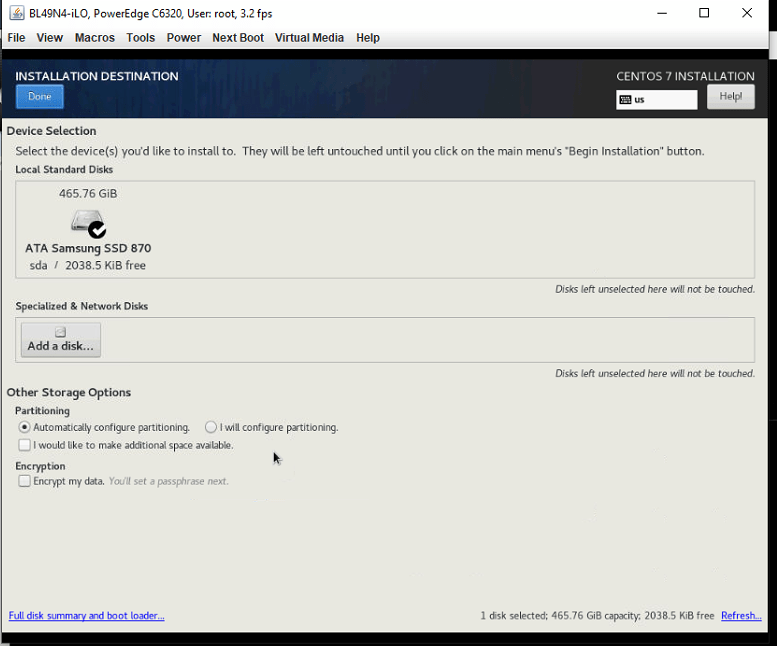

- Press done after select your device.
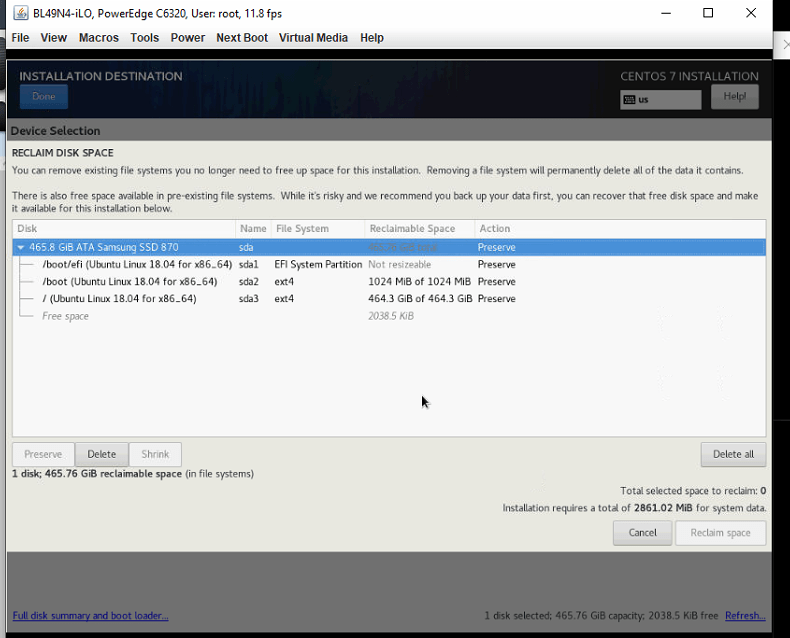

- Select → delete all → reclaim space
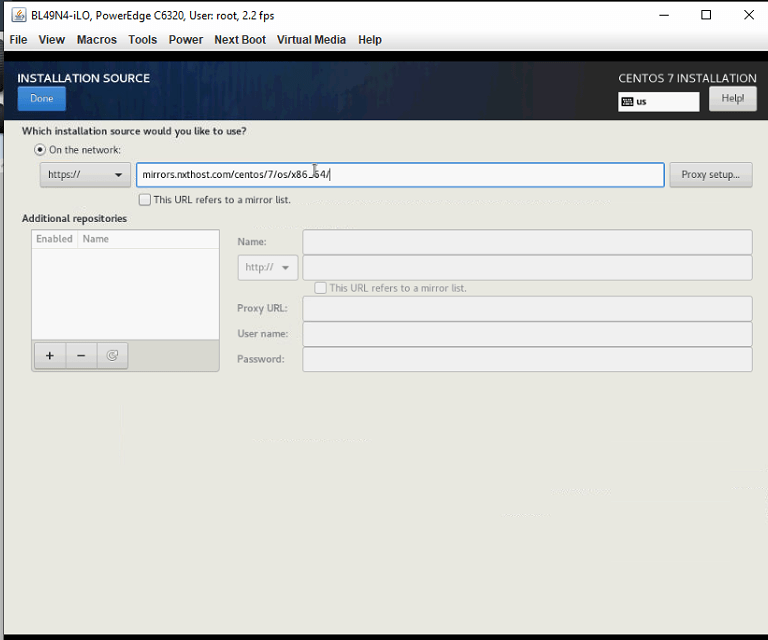
- Select https://mirrors.nxthost.com/centos/7/os/x86_64 → and press done
- Software Selection l/
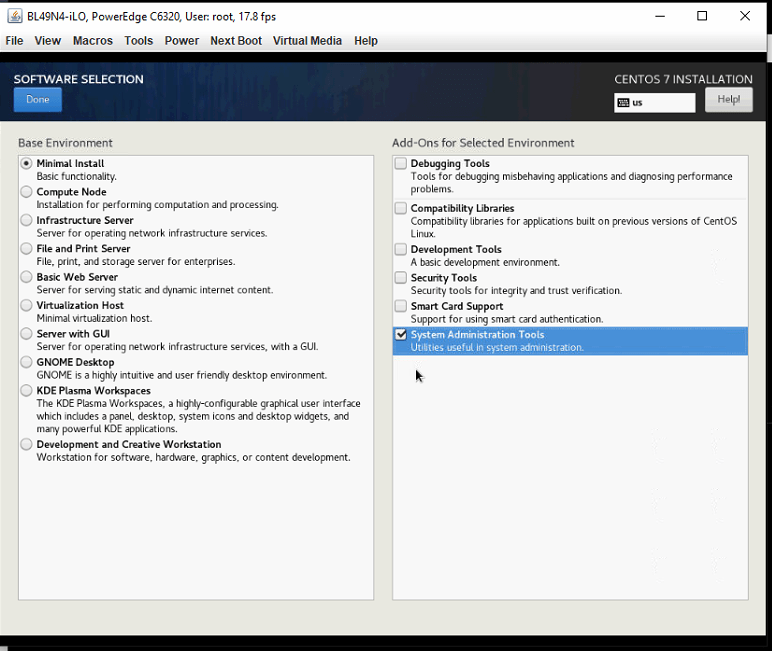

- Select: minimal install an system administration tools, and then press: done
- Press begin installation
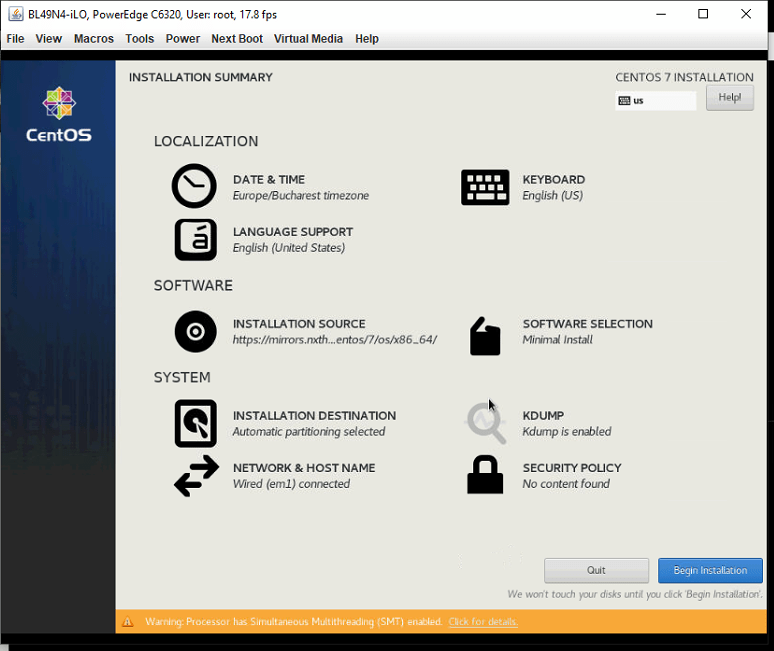

- Now configure your password
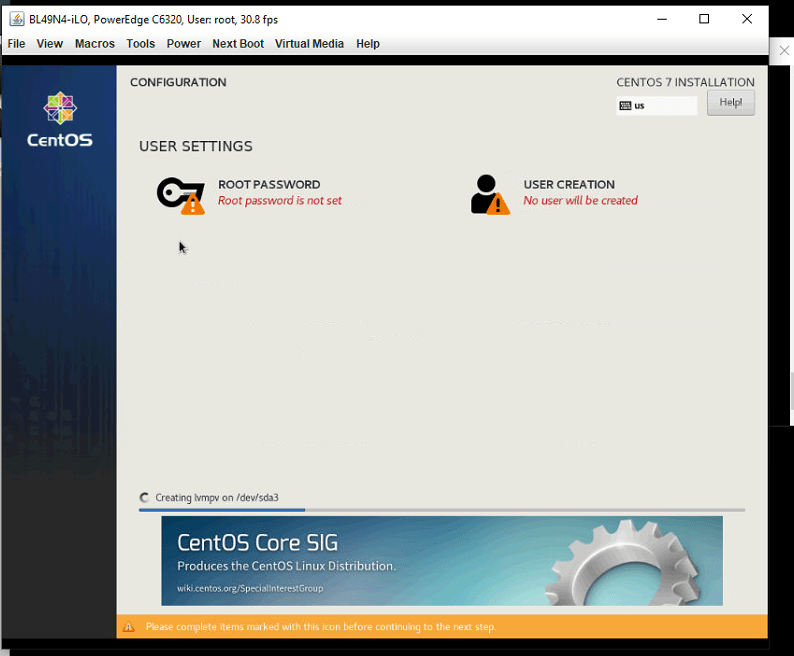
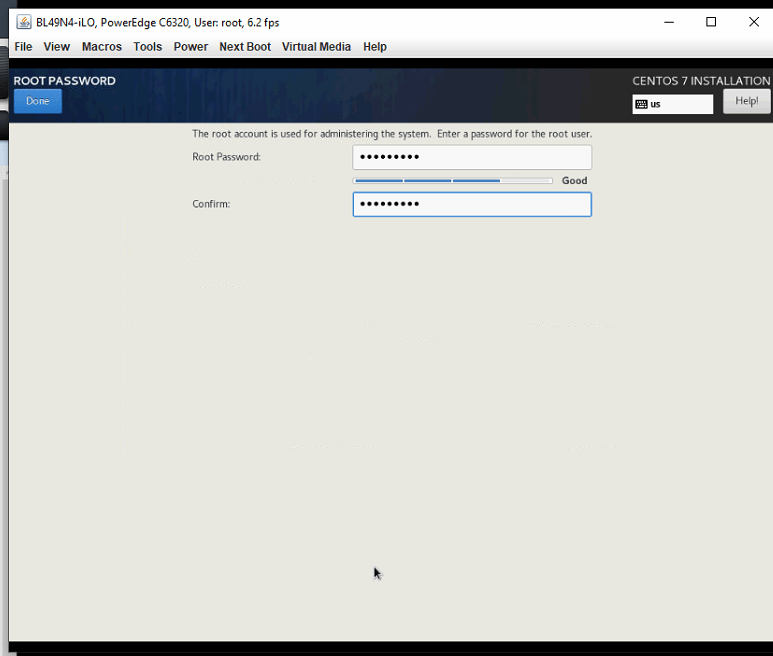


- Reboot
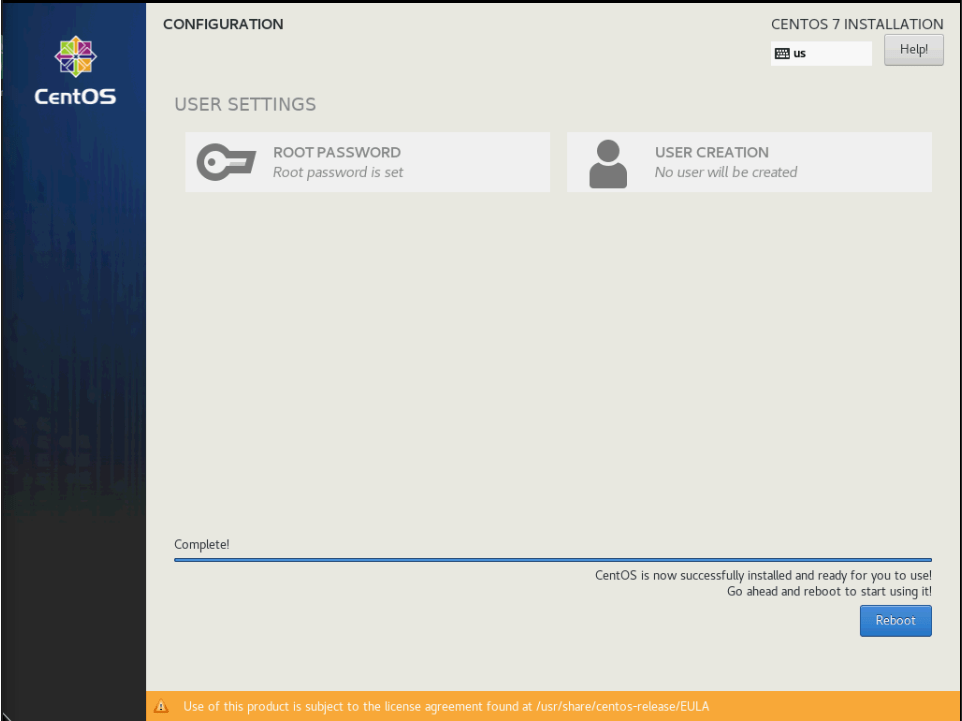

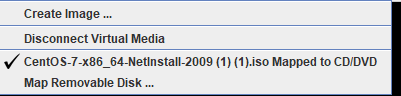
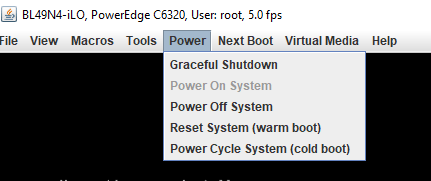
- When reboot is done unselect: Mapped to CD/DVD, and press: Power → Reset System (warm boot)


ssh 89….
passwd
#select new password